

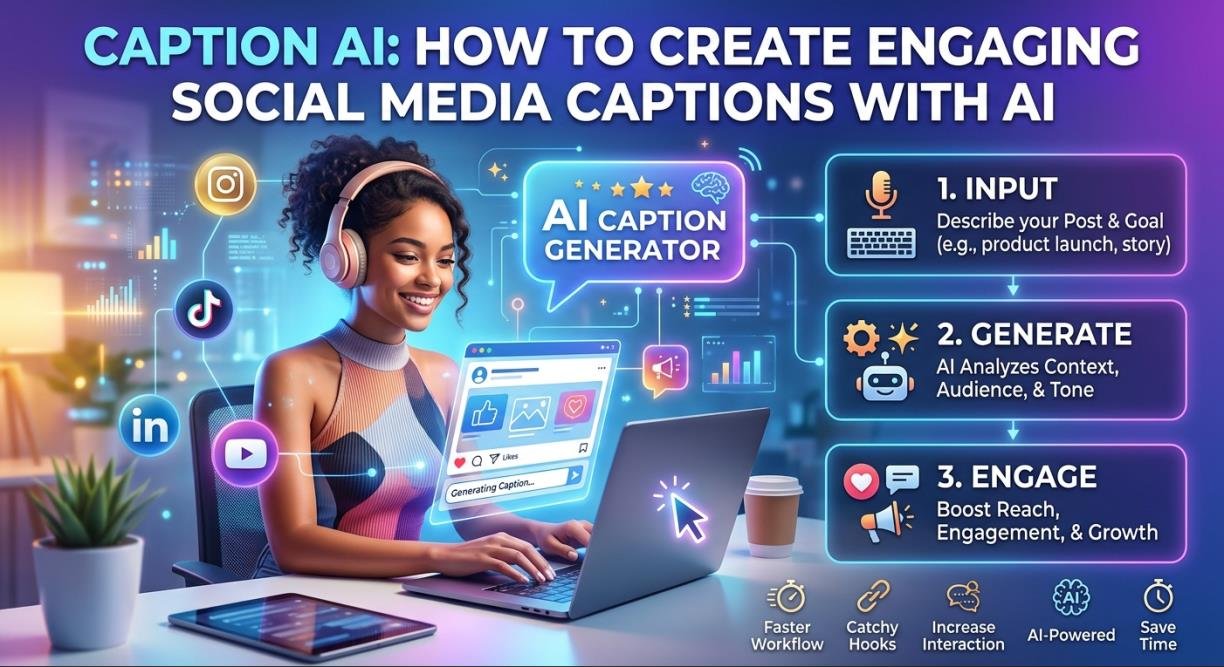
Writing a caption that actually catches attention can be harder than creating the post itself. You may have a great photo or video, but finding the right words, tone, and message can take valuable time. That is where Caption AI can help. Instead of staring at a blank screen, you can use AI to generate creative, relevant caption ideas in seconds.
But getting useful results depends on knowing how to use these tools properly. In this guide, we’ll explain how Caption AI works, what you can create with it, and practical ways to turn AI-generated ideas into natural, engaging captions.
What Is Caption AI?
Caption AI refers to artificial intelligence tools that help people create captions for social media posts, photos, videos, and other digital content. Instead of starting with a blank text box, you can provide a topic, image description, product, mood, or target audience and receive caption suggestions within seconds. Writing a good caption can take more time than expected. A short social media post may require several attempts before the wording feels natural, relevant, and engaging.
Caption AI can reduce that effort by generating multiple ideas that you can edit and personalize. Depending on the tool, an AI caption generator may create short captions, storytelling captions, promotional copy, calls to action, hashtags, or variations in different tones. Some tools focus specifically on Instagram, while others support several social platforms. The important point is that AI-generated captions Work best as a starting point rather than a complete replacement for human creativity. Your experience, brand personality, and knowledge of your audience still matter.
Read More: Cousin Captions: 150+ Funny, Cute and Heartfelt Lines for Photos
How Does Caption AI Work?
Most Caption AI tools use language models trained to recognize patterns in written language. You provide information about what you want to communicate, and the system generates text based on that information.
Understanding the Input
The quality of the result depends heavily on the information you provide. For example, a request such as “Write a caption” gives an AI system very little context.
A better prompt might say:
“Write a friendly Instagram caption for a new coffee shop opening. Keep it under 80 words and encourage local customers to visit this weekend.”
The second prompt gives the system a topic, platform, audience, tone, length, and objective. Some advanced tools can also work with images. When image analysis is supported, the AI may identify visible objects, settings, activities, or general themes and use those elements to suggest a relevant caption.
Generating Caption Ideas
After receiving your instructions, the tool produces one or more caption options. Some platforms let you request several versions, allowing you to choose between different approaches.
For example, a travel photo might produce:
- A short inspirational caption
- A humorous caption
- A storytelling caption
- A question designed to encourage comments
Adjusting Tone and Style
Many AI writing tools allow you to specify a tone. You might request something professional, casual, playful, inspirational, educational, or persuasive. This makes Caption AI useful for businesses with different types of content. A restaurant may want conversational captions, while a financial company may require a more professional voice.
Why Use Caption AI for Social Media?
AI captions can be useful for individuals, creators, marketers, and businesses that publish content regularly.
Save Time on Content Creation
One of the biggest advantages is speed. Instead of spending 15 or 20 minutes trying to write one caption, you can generate several starting points quickly. The saved time can then be used for other parts of content creation, such as photography, video editing, audience research, or content planning.
Generate More Creative Ideas
Sometimes the problem is not writing itself. You simply do not know what angle to take. An AI caption generator can provide alternative approaches to the same topic. Seeing several possibilities may help you develop an idea that feels more original or suitable for your audience.
Maintain a Consistent Brand Voice
Businesses often publish content across multiple channels. Consistency matters because audiences should be able to recognize a brand from its communication style.
With clear instructions about vocabulary, tone, audience, and messaging, AI can help produce captions that follow established guidelines. However, consistency should not mean publishing identical or repetitive captions. Human editing is still important.
Create Captions for Different Platforms
Each social platform has its own audience behavior and content format. A caption suitable for Instagram may not work equally well on TikTok, Facebook, LinkedIn, or another network. Caption AI can help adapt the same underlying idea for different audiences and formats.
What Can You Create With Caption AI?
A good caption tool can support many types of content.
| Content Type | Possible Caption Style | Common Goal |
| Instagram photo | Short, creative, conversational | Engagement |
| Product post | Promotional and informative | Sales |
| Travel photo | Descriptive or inspirational | Engagement |
| TikTok video | Short and energetic | Views and interaction |
| Facebook post | Conversational or informative | Discussion |
| Business announcement | Professional and direct | Awareness |
| Personal photo | Casual or emotional | Connection |
Instagram Captions
Instagram remains highly visual, so captions often complement rather than repeat what the audience can already see.
For example: Instead of simply describing a beach photo, a caption might add a personal experience, ask a question, or create an emotional connection. Caption AI can generate several styles so you can select one that matches the image and your personality.
TikTok Captions
TikTok content is generally fast-moving, and concise text can support the video’s main idea. AI can suggest hooks, short descriptions, calls to action, and conversational wording. The best caption should still match the actual video rather than simply trying to attract clicks.
Facebook Captions
Facebook supports a wider variety of content, including personal updates, community posts, business announcements, links, images, and videos. An AI caption generator can adapt the writing style based on whether you want to inform, entertain, announce something, or encourage discussion.
Photo and Video Captions
Caption AI can also be useful when you have visual content but are unsure how to introduce it.
For example,: A small business launching a new product could provide the product name, audience, main benefits, and desired tone. The AI can then generate several possible captions.
How to Use Caption AI Effectively

Using AI successfully is not simply a matter of clicking “generate.” The instructions you provide can significantly affect the result.
Give the AI Clear Context
Tell the tool what the content is about. Include information such as:
- What is shown in the photo or video
- What you are promoting
- Who the audience is
- Where the content will be published
- What action you want readers to take
More useful context generally leads to more relevant suggestions.
Specify Your Desired Tone
Tell the AI how you want the caption to sound.
For example:
“Write a warm and casual caption for a family travel photo.”
This is more useful than simply requesting an “interesting caption.”
Add Your Audience and Topic
A caption for teenagers, professional customers, parents, travelers, or software developers may require completely different language. Mentioning the intended audience helps reduce generic writing.
Edit Before Publishing
This is one of the most important steps. AI-generated content can sometimes sound repetitive, overly polished, vague, or unlike the way a real person communicates. Read the caption carefully and make changes. Add your own experience, specific details, humor, opinions, or brand language where appropriate. The final caption should sound like you—not like a machine.
Caption AI vs. Manually Written Captions
AI and human-written captions serve different purposes. Manual writing gives you complete control over your voice and allows you to incorporate personal experiences naturally. It can be particularly valuable when the post involves an important story, personal announcement, or sensitive topic.
AI can be more useful when you need speed, brainstorming support, or several variations of the same message. A practical approach is to combine both. Use AI to generate ideas, then use your own judgment to edit the selected version. This approach can preserve authenticity while reducing the amount of time spent staring at a blank page.
Tips for Getting Better AI-Generated Captions

Start with a clear objective. Before generating a caption, decide what you want the audience to do or feel. Keep the wording appropriate for the platform. A lengthy caption may make sense for one type of post but feel unnecessary for another. Use specific information instead of generic instructions. Mention the product, location, occasion, audience, or story behind the content.
Ask for multiple variations when you are unsure about the direction. Comparing different approaches can make it easier to identify a strong starting point. Avoid forcing keywords into every caption. Social media writing should sound natural. Excessive repetition can make your content feel artificial and reduce readability.
Use calls to action when they make sense. You might ask a question, invite people to share an opinion, encourage them to save a post, or direct them toward additional information. Most importantly, review factual claims. AI can generate incorrect or unsupported statements. If a caption contains prices, statistics, dates, product claims, or other factual information, verify them before publishing.
Is Caption AI Right for Your Content Strategy?
Caption AI can be a practical addition to a content workflow, particularly for people who publish frequently or manage multiple social media accounts. Its main value is not that it magically creates perfect captions. Its value is that it can accelerate brainstorming, provide alternatives, and help turn basic ideas into usable drafts.
For a creator, it can help when inspiration runs low. For a small business, it can reduce repetitive writing tasks. For a marketing team, it can provide initial variations that editors can refine.
The best results come from combining AI assistance with human judgment. Give the tool meaningful context, review its output, and add details that reflect your actual experience or brand. Used this way, Caption AI becomes a writing assistant rather than a substitute for authentic communication.
Final Thoughts
Caption AI can make social media content creation faster and less stressful. Whether you need an Instagram caption, TikTok description, product post, or idea for a personal photo, AI can provide a useful starting point within seconds. The strongest results come from treating AI-generated captions as drafts rather than finished content.
Give the tool clear instructions, review every suggestion, verify factual claims, and add your own personality before publishing. When used thoughtfully, Caption AI can save time while helping creators and businesses maintain a steady flow of engaging social media content.
FAQs about Caption AI
Q1: What is Caption AI?
Ans: Caption AI refers to artificial intelligence tools that generate caption ideas for social media posts, photos, videos, products, and other digital content.
Q2: Can Caption AI create Instagram captions?
Ans: Yes. Many AI caption generators can create Instagram captions in different styles, including casual, creative, promotional, inspirational, and conversational formats.
Q3: Can I use Caption AI for TikTok?
Ans: Yes. AI can generate short TikTok captions, hooks, descriptions, and calls to action based on the subject and purpose of your video.
Q4: Are AI-generated captions good for businesses?
Ans: They can be useful for businesses that publish content regularly. Businesses should review and customize AI-generated captions to ensure accuracy, brand consistency, and an authentic voice.
Q5: Can Caption AI generate captions from photos?
Ans: Some tools can analyze an uploaded image and suggest captions based on visible content. Other tools require you to describe the image manually.
Q6: Are Caption AI captions automatically original?
Ans: AI generates text based on learned language patterns, but users should still review the output. Avoid copying recognizable content from other creators and personalize captions before publishing.
Q7: How can I get better results from Caption AI?
Ans: Provide clear information about the topic, audience, platform, desired tone, caption length, and goal. More specific instructions usually make the generated suggestions more useful.
